Built for hotel banquet teams
Your BEO.
Your team’s live event plan.
Upload and review your banquet event order. Give captains and staff the schedule, tasks, dietary details, and requests they need on their phones.
60 days free, then $149 per venue/month
Personal onboarding included. We reply within one business day.
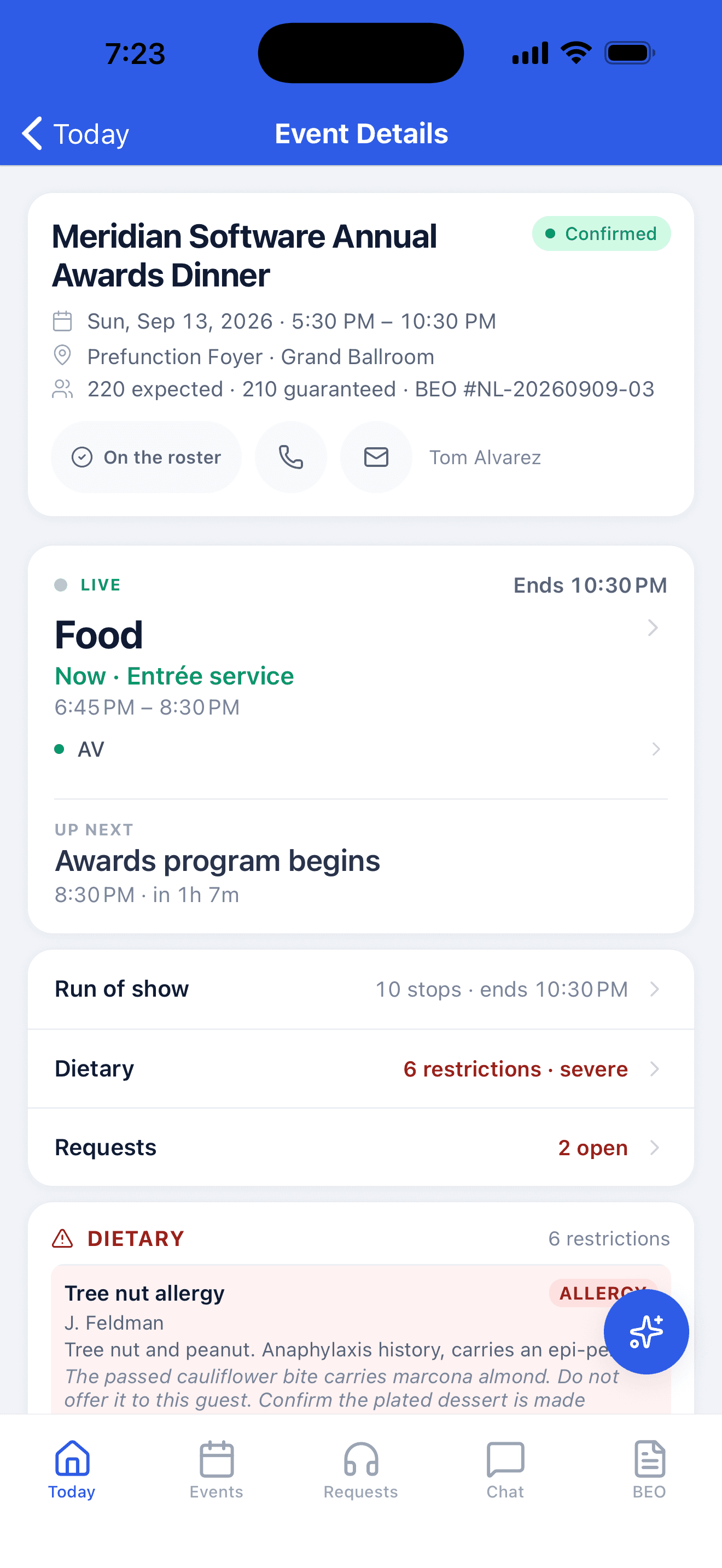
Actual app screen · Live event
How it works
From the office to the banquet floor, and back.
- 01
Upload your BEO
Keep the BEO format you use today. Upload the PDF or scan and it becomes an event with a schedule, setup tasks, menu, and dietary details, in your venue's own words.
- 02
Review the plan before doors
Confirm anything the read flagged and fix a detail if you need to. When a revised BEO arrives, upload it and see exactly what changed before it reaches the floor.
- 03
Run the event together
Captains and staff follow the plan on their phones, check off work, and track requests and changes as service unfolds.
- 04
Know how it went
The recap is in your managers’ inboxes two days later. The client gets a short feedback form the next morning. Both go to the people you choose.
One plan, two screens
Plan on desktop. Run it from the floor.
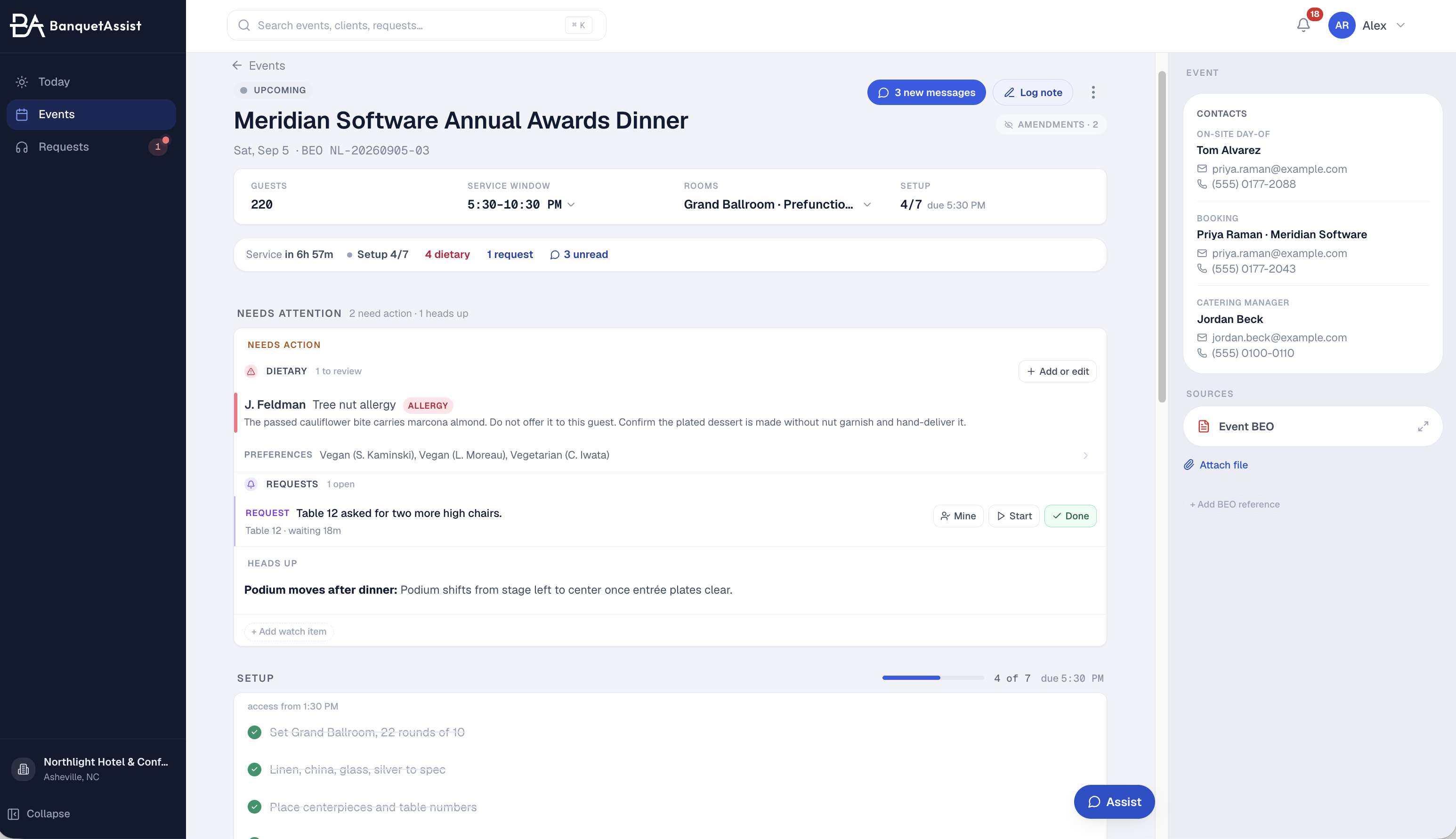
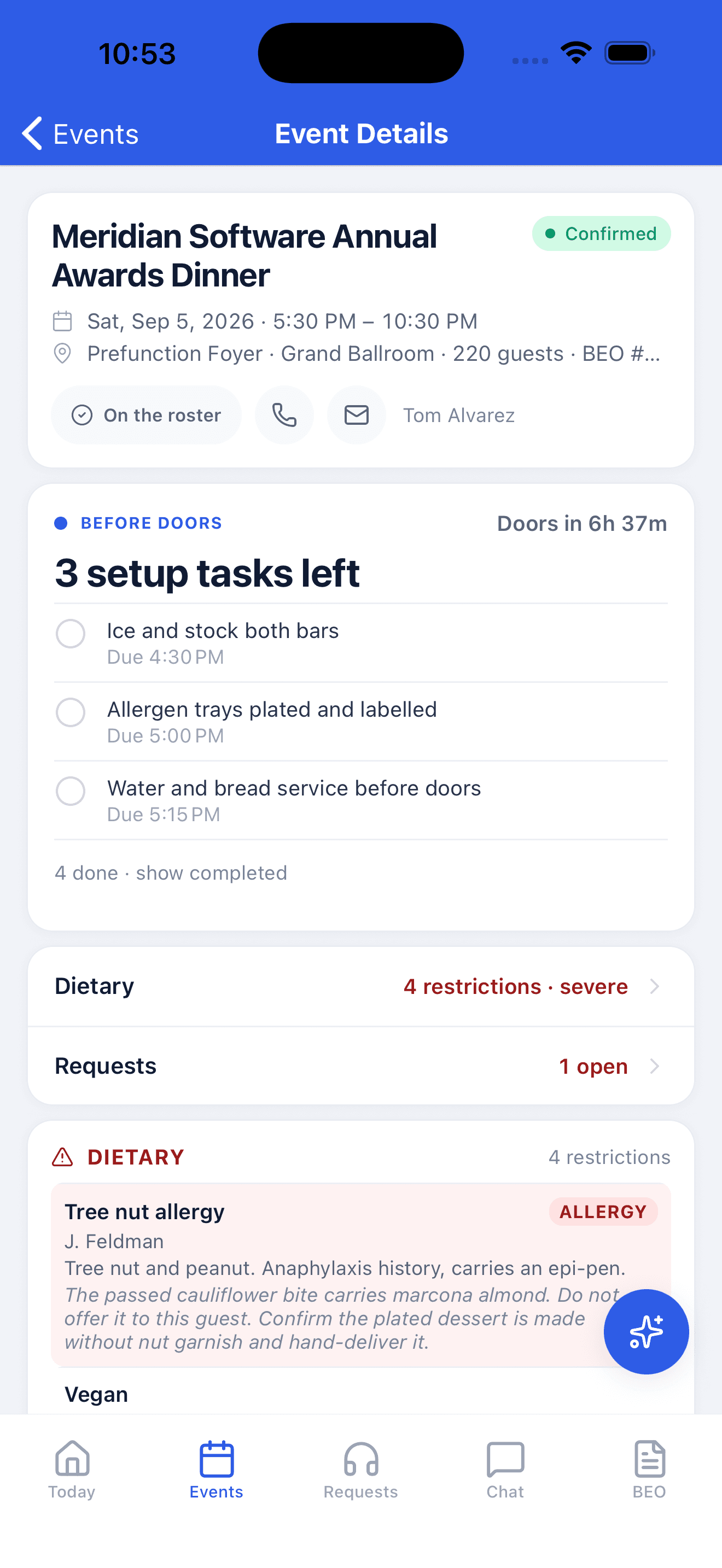
Managers review the event on the web app: guest count, service window, setup progress, dietary flags, and open requests. Captains and staff carry the same plan in the iPhone and Android app.


For your team's phones. Staff sign in with their invited account.
Prepare with the whole event in view
Guest count, service window, contacts, and setup progress give managers a shared reference before doors open.
Keep the important details close
Dietary instructions, open requests, and service notes stay alongside the plan, and the same details travel to the phone.
Explore the live planOn the floor
Less repeated briefing. More time with your team and guests.
Know what is happening now
The current service and next milestone are right at the top. Give the floor a shared reference for timing and handoffs.
Keep important details close
Open the event for dietary restrictions, contacts, and service information without searching through a printed packet.
See what still needs attention
Track open requests and task progress so captains can follow up and managers can see where help is needed.
Support the whole event, from setup to recap.
Ask the event
Look up event details with a question.
Learn moreGuest requests
Guests scan a QR code; your team tracks the request.
Learn moreRecaps and client feedback
The recap reaches your managers automatically. The client says how it went the next morning.
Learn morePrint packets
Give crews a day sheet and station checklists from the same plan.
Learn moreFor managers and owners
Know how every event went. Without asking around.
The floor runs the event. You find out how it went the same way every time: the recap in your inbox, the client's feedback the next morning, both sent to the people you choose.
What happened on the floor
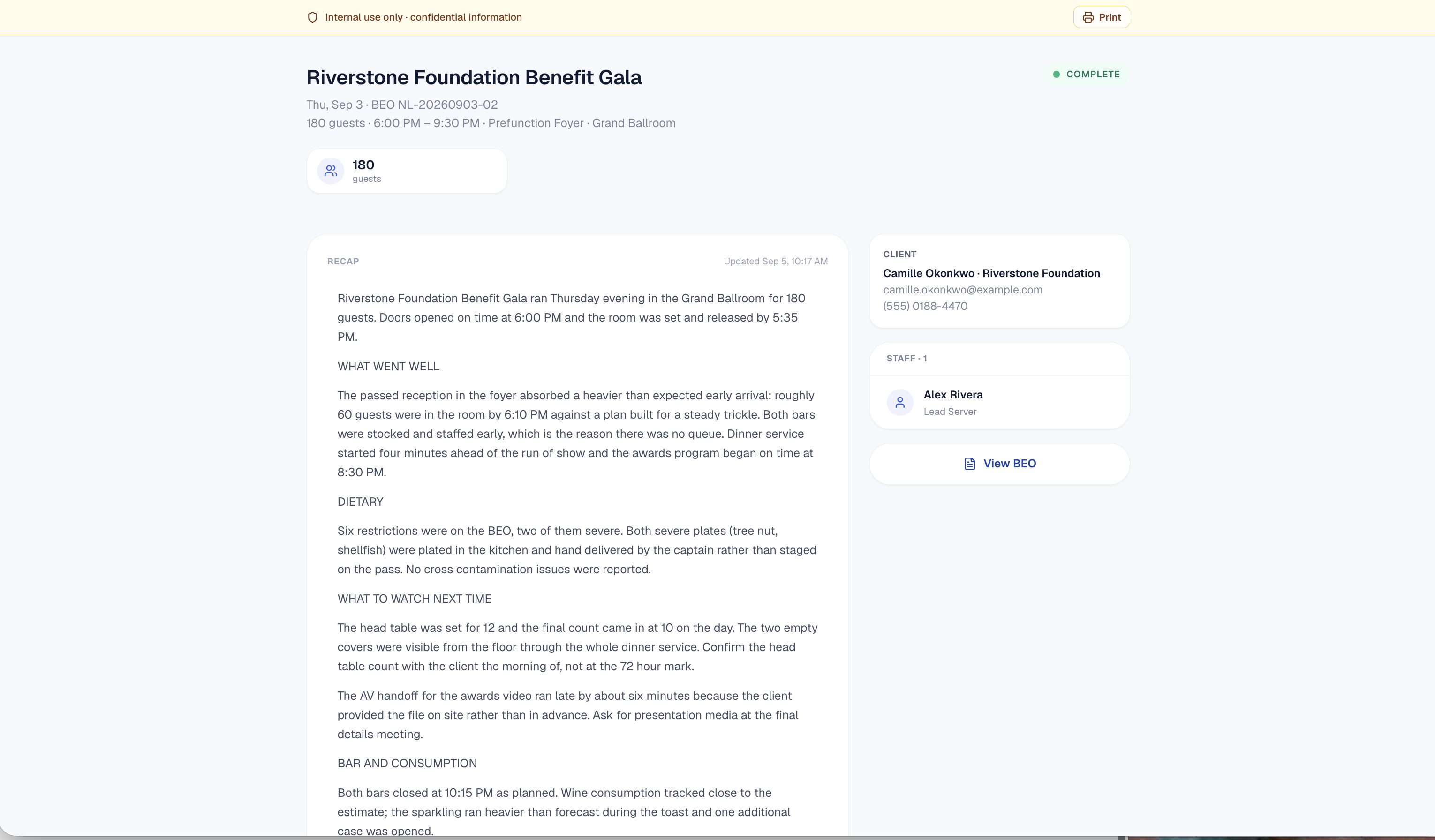
Two days after the event, the recap is written from your team’s notes, photos, and requests and lands in every manager’s inbox. Nobody reconstructs it from memory.
What the client thought
The morning after, the client gets a short feedback form on their own event page. A rating, what went well, what to fix, and the questions you added. No login.
Who gets told
You keep one list per venue. Recaps and feedback both go to it, in the app for people with an account and by email for everyone else. Owners, GMs, a regional office.
Built for venues that run real banquets
60 days to try it with your team.
Tell us about your venue and we'll handle the setup: your rooms, your first week of BEOs, your team trained. We stay with you through your first few events.
60 days free, then $149 per venue/month
No credit card required.
Get startedPersonal onboarding included. We reply within one business day.
Common questions, straight answers.
The questions GMs and captains ask first. Full list lives on the FAQ page.
Re-upload the amended BEO and BanquetAssist reconciles it against the original. Each change (count, timing, menu) lands on the live timeline with a name and a time, and nothing overwrites the plan until you approve it. Your team sees what’s different the moment it’s applied.
Captains and staff can see the event plan, tasks, and requests on their phones. We help invite and train your team during onboarding. Staff use their invited accounts; guests can submit QR requests in a browser without an account.
Send an onboarding inquiry and we reply within one business day to arrange a call. We help configure your venue, invite your team, and review your first BEOs. Your 60-day trial begins when your venue account is ready.
Two ways, both automatic once you switch them on. The recap goes to your venue’s distribution list two days after the event. The client gets a short feedback form the morning after, and every response goes to the same list, in the app for people with an account and by email for everyone else. You choose who is on the list per venue, and you can hold the survey back on any single event.
Have a question?
Ask us anything about BanquetAssist. Our team responds within one business day.
Email Us
info@banquetassist.comTypical response: within one business day
No credit card required
Personalized onboarding included
Contact us
We'll get back to you within one business day. No spam, just answers.